
Today I will talk about CapCut Templates Not Showing Fix error. If you open CapCut and the Templates section is not visible, then there is no need to worry. Many users face this problem, especially after updating the app, changing phones, or reinstalling CapCut. Sometimes only the Templates disappear and sometimes the templates do not load at all.
The good thing is that this is often not a permanent problem. In most cases, the reason for this is weak internet, old app version, cache files, app bug, account issue or regional restriction. Often, these problems can be resolved by following just a few simple steps.
In this guide, we’ll share the most effective ways to fix CapCut Templates Not Showing that work even in 2026. Each solution is explained step-by-step and in simple terms so you can get the Templates section back without any confusion.
Why Are CapCut Templates Not Showing?
There’s not just one reason why templates aren’t visible in CapCut. This feature pulls data from an online server, so even minor issues with the app, internet, or account could cause the Templates section to be missing.
Before solving the CapCut Templates Not Showing Fix, it’s important to understand the root cause. Once you understand the cause, applying the correct solution becomes much easier and there’s no need to change unnecessary settings.
Common Reasons Behind the Problem
I’ve listed some common reasons why CapCut templates often don’t show up below.
- Internet connection not being stable.
- Using an outdated version of CapCut.
- Cache files are being corrupted.
- A temporary error in app data.
- CapCut account login issue.
- Phone’s battery saver mode is on.
- Templates are not available in your region.
- CapCut servers are temporarily down.
How to Fix CapCut Templates Not Showing
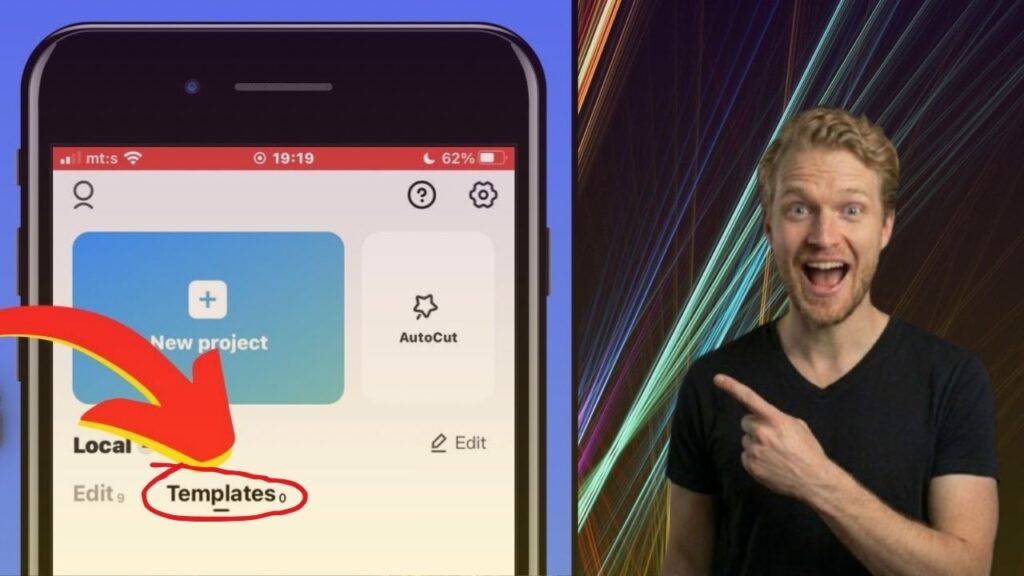
If the Templates tab is missing or templates aren’t loading, try the solutions below in sequence. Often, users’ issues are resolved with the first or second solution.
Check Your Internet Connection
CapCut templates are loaded online. If the internet is slow or disconnects frequently, the app will not show templates.
First of all, check both Wi-Fi and mobile data. If you are using Wi-Fi, switch to mobile data once. Similarly, if you are using mobile data, try Wi-Fi. Restarting the router also solves the problem many times. After getting stable internet, the Templates section often becomes normal.
Update CapCut to the Latest Version
Using an outdated version is also a common reason for missing templates. CapCut adds new features and bug fixes with every update.
Open the Google Play Store or Apple App Store and check if there is a new CapCut update available. If an update is available, install it immediately. After the update is complete, restart your phone and open CapCut again. For many users, the templates issue is resolved simply by updating the app.
Clear CapCut Cache
CapCut saves temporary cache files to improve speed. Sometimes these files become corrupted, causing templates or other features to not work properly.
Go to your phone’s Settings, open Apps, then tap CapCut > Storage and select Clear Cache.
Clearing the cache does not delete your projects; it only removes temporary files. After this, open CapCut again and check if the templates have been restored.
Clear CapCut App Data
If clearing the cache still doesn’t resolve the issue, the next step is to clear the app data. This restores the app to a fresh state and removes temporary errors.
Go to Settings > Apps > CapCut > Storage and tap Clear Data or Clear Storage.
Remember that after this step, you’ll need to log back into your account. So, if you have important drafts, be sure to back them up first.
Restart Your Phone
Sometimes the problem isn’t with CapCut, but rather a temporary system bug in the phone.
Restart your phone completely and then open CapCut. This simple step clears background errors and gives the app a fresh start.
If the issue was due to a temporary glitch, a restart should allow the templates to display normally.
Log Out and Log Back Into Your Account
The Templates section may also be missing if there are problems with account syncing.
Log out of your account in CapCut and then log back in. If possible, use the same account you were using previously.
After logging in, give the app a few seconds to sync online data. This solution has proven effective for many users.
Reinstall CapCut
If none of these setups work, uninstall and reinstall CapCut.
Installing the latest version replaces corrupted app files and may restore missing features.
After installation, log in to your account and check the Templates section.
Disable Battery Saver Mode
Battery Saver Mode limits the background activity of some apps. This may be why CapCut cannot load online templates.
Go to your phone’s Settings and temporarily turn off Battery Saver or Power Saving Mode.
After that, open CapCut and see if the templates are loading properly.
Connect Your TikTok Account
In some regions, CapCut templates work better with TikTok.
If you haven’t connected your TikTok account yet, go to CapCut’s profile settings and link your account.
After this, restart the app and check the Templates section again.
Use a VPN (If Templates Are Restricted in Your Region)
Some countries may not have all of CapCut’s features available. This could be why the Templates tab is missing.
If you suspect regional restrictions are the cause, try using a trusted VPN and selecting a server in a supported country.
After connecting to the VPN, open CapCut and check if the templates are visible. Hopefully, this will display the templates.
Wait for CapCut Server Issues to Be Resolved
Sometimes the problem isn’t with your phone. If CapCut’s servers are temporarily down, the templates won’t load.
If all settings are correct and the issue still persists, please wait a while and check again after a few hours.
If there is a server issue, the templates will automatically return once CapCut fixes it. No additional settings or reinstallation will be required.
How to Restore the CapCut Templates Tab
If the Templates tab has disappeared from CapCut, don’t worry. In most cases, you can get it back by following a few simple steps. First, make sure you are using the latest version of the app. Then check your internet connection, as CapCut needs a stable connection to load online templates.
If the problem is still there, clear the app cache and log out of your CapCut account. After that, log back in and open the app again. This can refresh your account and bring back the Templates tab. If the Templates section is showing but a specific template is showing a Template Not Found error, be sure to check out our complete CapCut Template Not Found Fix guide. It explains every possible solution step by step.
Why Did CapCut Templates Disappear After an Update?
Many users notice that the Templates section disappears after updating CapCut. This does not always mean there is something wrong with your phone. Sometimes a new app update can include small bugs that affect some features for a short time.
Another common reason is that old cache files may not work well with the new version of the app. This can stop the Templates section from loading correctly. In some cases, CapCut also releases new features slowly, so not every user gets them at the same time.
If this problem starts after an update, clear the app cache, restart your phone, and check if another update is available. If the issue is caused by a temporary bug, CapCut usually fixes it in a future update.
CapCut Templates Not Showing Fix on Android
If you are using an Android phone, there are several reasons why CapCut templates may not appear. An old app version, low storage, battery saver mode, or damaged app files can all cause this problem.
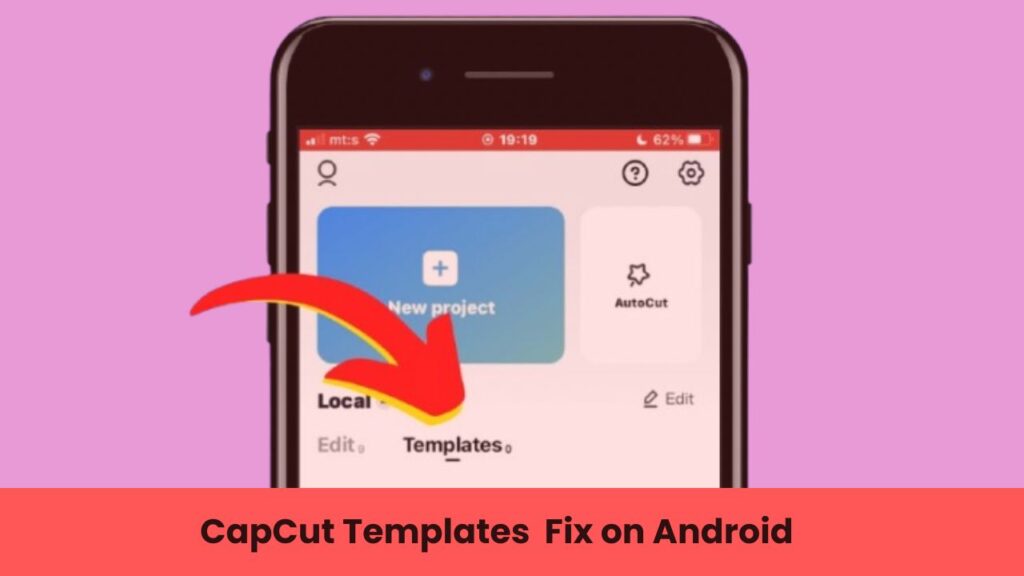
Start by updating CapCut from the Google Play Store. Then clear the app cache and restart your phone. If the Templates section is still missing, clear the app data and sign in to your account again.
You should also make sure that your phone has enough free storage and a stable internet connection. These simple steps solve the problem for many Android users without needing any advanced settings.
CapCut Templates Not Showing Fix on iPhone
If CapCut templates are not showing on your iPhone, first check for the latest app update in the App Store. Running an older version of the app can cause some online features to stop working.
Next, make sure your iPhone is connected to a stable Wi-Fi or mobile data network. If the issue continues, restart your iPhone and open CapCut again. You can also delete the app and install it again to replace any damaged files.
If the Templates tab is still missing, the problem may be related to CapCut’s servers or a temporary app bug. In that case, waiting for the next update is often the best solution.
CapCut Templates Not Showing Fix in Pakistan
Many users in Pakistan have reported that the Templates section sometimes does not appear in CapCut. This can happen because of regional restrictions, server changes, or network-related issues. In some cases, the feature may be available one day and unavailable the next.
To fix the problem, update CapCut to the latest version and use a stable internet connection. If the Templates tab is still missing, you can try using a trusted VPN and connect to a country where the Templates feature is available.
If the issue is caused by CapCut’s servers, there is nothing you need to change on your phone. Simply wait until the service is working normally again and check the app later.
Tips to Prevent CapCut Templates from Disappearing Again
You cannot stop every CapCut problem, but you can reduce the chances of the Templates section disappearing again by following a few simple tips.
Always keep CapCut updated to the latest version because updates often fix bugs and improve app performance. Use a stable internet connection whenever you open the Templates section, and avoid downloading CapCut from unofficial websites. The official version from the Google Play Store or Apple App Store is always the safest choice.
It is also a good idea to clear the app cache from time to time, keep enough free storage on your phone, and restart your device regularly. These small habits can help CapCut run more smoothly and lower the chances of facing the same problem again in the future.
Conclusion
If you are also facing the CapCut Templates Not Showing Fix issue, then there is no need to worry. The setup guide I have provided solves this issue in most of the cases. First of all, check the internet connection, then update CapCut, clear the cache and restart the phone and open the app again. If necessary, log in to the account again or reinstall the app.
If the problem is due to regional restriction or server issue, then waiting for some time or using a trusted VPN can also be an option. Hopefully, after following the steps in this guide, your Templates section will work normally again and you will be able to edit your videos without any problems.
Tips: If you’re just starting out with CapCut, also read our complete CapCut Tutorial for Beginners. This guide explains basic editing, templates, effects, and export settings in simple steps.
FAQs
Why is the CapCut Templates Not Showing Fix not working for me?
If you’ve tried all the steps in the CapCut Templates Not Showing Fix and the problem still hasn’t been resolved, the issue is likely related to the CapCut server, regional restrictions, or account. Wait a while, update the app to the latest version, or log in again and check.
How do I get the Templates tab back in CapCut?
To get the Templates tab back, first update CapCut to the latest version. Afterward, clear the app’s cache, restart your phone, and log in to your account again. If the problem persists, reinstall and check.
Why are CapCut templates not loading?
If templates aren’t loading, it’s possible your internet is slow or the CapCut server is temporarily down. Use stable internet and check by opening the app again after a while.
Can a VPN fix CapCut templates?
Yes, using a trusted VPN can help if templates aren’t available in your region. However, if the problem is due to an app bug or server issue, a VPN won’t make a difference.
Does reinstalling CapCut restore templates?
For some users, uninstalling and reinstalling CapCut resolves the issue. This replaces damaged app files and gives the app a fresh start.
Are CapCut templates available in every country?
No. Not all CapCut features are available in every country. Templates may be limited or temporarily unavailable in some regions.
Will clearing the cache delete my projects?
No. Clearing the cache only deletes temporary files. Your saved projects and account remain safe.
What is the best CapCut Templates Not Showing Fix in 2026?
The most effective CapCut Templates Not Showing Fix is to first check the internet connection, then update CapCut, clear the cache, restart the phone, and log in to the account again. If templates still don’t show, reinstalling the app or using a trusted VPN may also help.